17-slot tracker

Cursor Camp Seashells

Seashells are the main completion collectible in Cursor Camp. The challenge is not only spotting them; it is remembering which small props and corners you already checked while dozens of cursors move across the same area. Use this page as a 17-slot zone route, mark each found shell in the browser tracker, and use the recovery steps when you are stuck at 16.

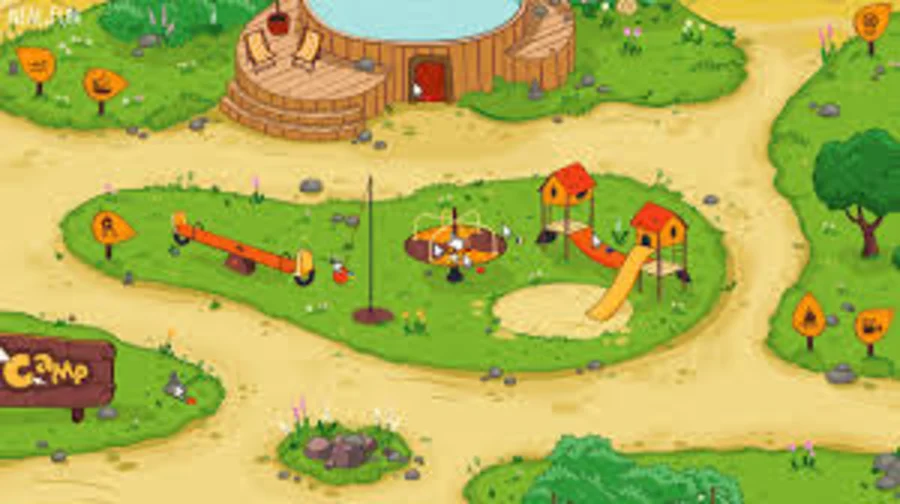
Cursor Camp outdoor reference showing open activity zones and paths

Check activity edges

Shells are easiest to miss around the borders of the activity field, tent paths, trees, and props that attract crowds.

Source: user-provided Cursor Camp reference screenshot, used for guide commentary. Remove on rights request.

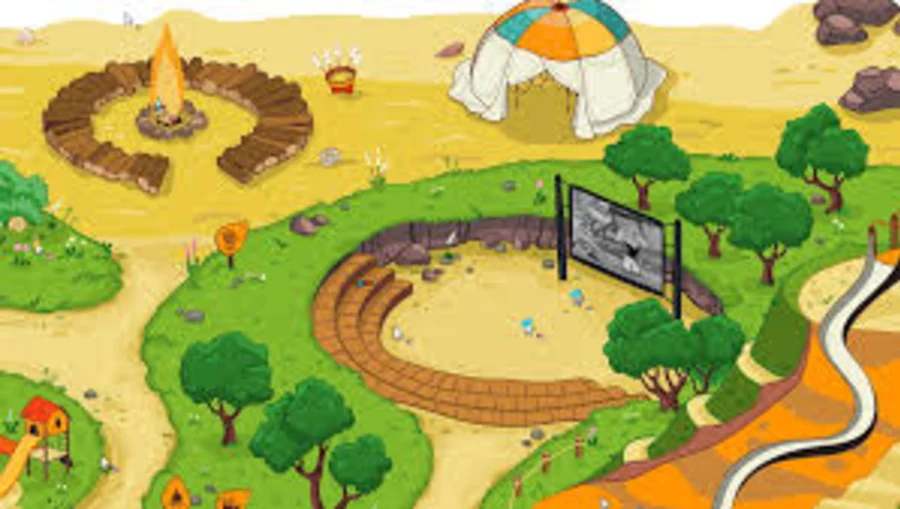
Cursor Camp map reference for grouping seashell checks by zone

Group shell sweeps by zone

Mark shells only after you have checked both the visible center and the quieter side edges of each camp area.

Source: user-provided Cursor Camp reference screenshot, used for guide commentary. Remove on rights request.

Seashell Tracker

0/17 found · 0%

Progress saved on this device

Best search order

A practical route is campfire, stream, beach, forest, lookout, soccer field, boat, cave, then shop. This order follows how the map naturally opens and keeps nearby checks together. If a shell is not visible, do not assume it is absent. Move behind props and wait for other players to stop covering the pickup.

The tracker below saves to your browser, so it is useful across multiple sessions on the same device. It does not send your progress anywhere.

Zone examples that prevent repeat loops

At the campfire, clear the log circle and stick bucket before roasting a marshmallow. At the stream, let the current carry you once, then re-enter slowly from the side to inspect both bends. On the beach, trace the sand-water line and the shade around chairs and umbrellas instead of clicking only the obvious shells.

In the forest and lookout, the useful checks are often at object bases: ladder base, tree trunks, approach path, and telescope platform. At the field, check the goal frame and orange slice area before collecting speed boosts. At the boat, cave, and shop, scan the edges first because those are the spots most likely to be covered by other cursors.

How to recover when one shell is missing

If you are stuck at 16 out of 17, stop sweeping the whole map from memory. Use zones instead. Clear the campfire props, then the two stream bends, then the beach objects, then the forest trunks, then the lookout, field, boat, cave, and shop. A missing shell is usually in a place you already visited but never moved behind.

Crowding is the other common reason. If several cursors sit over a shell, you may click the wrong visual point or assume the pickup is decoration. Wait a few seconds, approach from a different side, and use short movement strokes rather than long sweeps across the screen.

Campfire

1. Log circle sweep

01

Check the seating logs around the central fire, including the edges hidden by other cursors.

Campfire

2. Marshmallow stick bucket

02

Sweep the bucket and the small ground patch beside it before leaving the fire.

Stream

3. Lower current landing

03

Let the stream carry your cursor, then search where it drops you near the lower bank.

Stream

4. Upper river bend

04

The bend is easy to miss because the cursor is moving; slow down and re-enter from the side.

Beach

5. Left shoreline

05

Follow the line where sand meets water. Small shells blend into the pale edge.

Beach

6. Right shoreline

06

Check past the obvious beach props; the useful scan is along the quiet right edge.

Beach

7. Beach chair shade

07

Move behind the chair and umbrella shapes, not only in front of them.

Forest

8. Treehouse ladder base

08

The ladder area is a common cluster point. Wait for the crowd to thin and sweep the base.

Forest

9. Left tree trunk

09

Wiggle behind the trunk. Hidden objects can be partly covered by foliage.

Forest

10. Right tree trunk

10

Use short side-to-side motions around the darker bark edge.

Lookout

11. Lookout path edge

11

Scan the approach path before focusing on the telescope interaction.

Lookout

12. Telescope platform

12

Circle the telescope platform slowly; other players often sit directly on the pickup.

Soccer field

13. Left goalpost

13

Trace the inside of the goal frame and the ground just behind it.

Soccer field

14. Orange slice area

14

Speed boosts make the cursor jumpy, so check this area before collecting slices.

Boat

15. Dock and bell

15

Search the dock edge, the bell, and the space near the fishing rod.

Cave

16. Cave mouth

16

Dark edges hide pickups well. Sweep the lip of the cave before entering.

Shop

17. Accessory shop corner

17

Before spending shells, scan the shop corner and the path leading back to camp.
FAQ

How many seashells are in Cursor Camp?

The known target is 17 seashells.

What are seashells for?

They are tied to completion and accessory shopping.

Why am I stuck at 16 seashells?

The last shell is usually behind a prop you already visited, hidden by other cursors, or near a zone edge. Recheck by zone instead of sweeping the full map from memory.

Does the tracker sync across devices?

No. It saves progress only in this browser on this device, which keeps the guide simple and private.